

Trainer Resources
Welcome, esteemed trainers! This page is your one-stop shop to find everything you need to train with confidence.
Availability
Quick Links:
September Training Availability Form
August Training Availability Form
July Training Availability Form
Illinois Scheduling Team - scheduling.illinois@thevolleyballinstitute.com
Director of Scheduling (other Hubs) - scheduling@thevolleyballinstitute.com
Important Dates
20th - You will be emailed the second upcoming month’s Training Availability Form.
3rd - The upcoming month’s Training Availability Form is due.
10th - Your lessons will be released for booking!
-
Please go to the SportsEngine Motion app:
1. Click on the “Bookings” tab
2. Click on “Bookings Admin”
3. Click on your name
4. Click “View Calendar” (blue rectangle button)Here is a video on how to view your lessons on a web browser: https://drive.google.com/drive/folders/14x0nIGaq0VVaEcnAuQeE-Gv7okuZlVUD
-
Families can book private lessons up to 12 hours before the start time, as long as the time is listed as available on your calendar.
This means a lesson may be booked the same day, even if it’s within 12 hours of the start time. To avoid last-minute bookings, be sure to only list availability you are fully prepared to keep.
This 12 hour time frame can be adjusted upon request. Please reach out to both Jason at scheduling.illinois@thevolleyballinstitute.com and Carli at carli@thevolleyballinstitute.com to request this change. For all other hubs, please contact your hub leader and Tony at scheduling@thevolleyballinstitute.com.
**Beginning in July with SportsEngine Motion, families will only be able to book within 24 hours** -
That's okay! If a lot has changed, fill out the Training Availability Form(s) again, with only your name and the days that you'd like to update.
If very little has changed, or if the change is urgent, you can email:
For TVI Illinois, message Jason at scheduling.chicago@thevolleyballinstitute.com
For all other hubs, message Tony at scheduling@thevolleyballinstitute.com. -
We do our best to make sure everyone gets a fair share of hours each month.
Gym availability is a major factor, as availability varies from gym to gym. Sundays typically have limited availability, as most of our gyms are at churches.
We schedule you as many hours as we can, with the following limits:
- Maximum of 3 hours per day to protect your energy reserves.
- Back-to-back so you don't have to commute twice in one day.If you would like us to schedule you differently (no more than 2 days a week, no less than 2 hours at a time, maximum of 5 hours in a row, etc.), simply indicate so when you fill out your Training Availability Form.
-
We send out a newsletter announcing the release of private lessons to everyone on our mailing list as early as the 10th of each month. If you'd like, you can sign up for our mailing list here.
-
That's okay! Fill out the Training Availability Form when you can, and we will do our best to get you on the schedule when you do.
Bookings
🎉 We have moved to SportsEngine Motion for lessons beginning in July 2026! 🎉
What's changing for me?
You can now use the Motion app to find your booked lessons, available lessons, and athlete info all in one place.
You can now sync your TVI schedule to whatever calendar app you prefer (starting with July. Please continue to use GCal for remaining June lessons.)
Families will have a much easier time finding your lessons, because they can finally filter for what they need.
Starting in July, families will not be able to book with you within 24 hours of an unbooked session (this remains within 12 hours for June sessions).
Motion App & Google Calendar Integration
Set up notifications (browser only), click here for instructions. You must set up notifications if you wish to be notified of new registrations!
Download the SportsEngine Motion app - We highly recommend using the app to access athlete info. Currently, accessing this information in the browser version is very unintuitive:
For Apple Store, you can download SportsEngine Motion here
For Google Play, you can download SportsEngine Motion here
Learn how to find athlete info (mobile app only) with this video
-
Watch this video: https://drive.google.com/drive/folders/14x0nIGaq0VVaEcnAuQeE-Gv7okuZlVUD
-
Watch this video to locate the parent’s contact information: https://drive.google.com/drive/folders/14x0nIGaq0VVaEcnAuQeE-Gv7okuZlVUD
-
Optional: Sync your Motion calendar to your personal calendar(browser only). In the Calendar section of Motion, make sure your calendar is set to show everything you'd like synced. Then click Subscribe Calendar (example screenshot). Copy the url, then paste it wherever your calendar service requires - Google / Apple / Windows. You may skip this step if you wish to use only the Motion app to track your sessions.
Click here for an instructional video to sync your Motion calendar!
-
If you're in communication with a family and you both agree on a date/time and place, simply let us know at scheduling.chicago@thevolleyballinstitute.com, and we'll be happy to book it on our end once we confirm that the facility is available for the lesson.
If the facility is not available at the requested date and time, we'll do our best to give you alternatives.
-
Families can book private lessons as a 1:1 (one athlete: one coach), a 2:1 (two athletes: one coach), or a Custom Mini-Group (three or more athletes: one coach).
When a family books a 2:1 lesson, the lesson rate increases by $5—and that $5 goes directly to you. For a Custom Mini-Group lesson, the rate increases by $20, which also goes directly to you.
After booking, families will list the names and email addresses of any additional athletes. You can find this information by clicking on the appointment in your calendar and scrolling below General Training Information. -
Trainers are only paid for the minutes they are actively working with an athlete. If a trainer is late, the family will be refunded per minute missed.
If a trainer is late on two separate occasions, disciplinary action will be taken.
If a family chooses to leave a lesson due to trainer lateness, they will receive a complimentary lesson, and the trainer will not be paid for the missed session.
If a family experiences two instances of tardiness with the same trainer, they will receive a complimentary lesson.
-
If a family does not show up for their designated time, TVI trainers are required to call the family to see if they will make it. Please set up a number with Google Voice if you do not want your personal number shared with the client.
If the call goes to voicemail, TVI trainers should inform the family that they will wait at the gym until a quarter after the start time of the lesson before leaving and that they should contact customer service with questions.
Please let Customer Service know if a family does not show up to a lesson. You can reach Desiree at customerservice@thevolleyballinstitute.com.
Cancellations
When the Family Cancels
Lessons cancelled with more than 24 hours notice are automatically refunded. The trainer is not compensated.
Lessons cancelled with less than 24 hours notice are not eligible for reschedule or refund. The trainer is always compensated.
Lessons cancelled with less than 24 hours notice due to sickness/injury are only refunded the overhead costs, so that the trainer is still compensated.
Here is the cancellation policy families must read and agree to when they book a lesson.
When You Need to Cancel
Refer to the Trainer Policies & Guidelines document for important, specific details.
*Effective March 1st* Whenever a trainer cancels lessons, they are responsible to notify affected families. Trainer cancellations within 48 hours require the trainer to fill out this form: Less Than 48-Hours Lesson Adjustment
In the event of an emergency, please notify Scheduling as soon as you are able. In these situations, Scheduling will take over client communication and handle cancellation and rescheduling on your behalf.
-
If you set up notifications on your app (highly encouraged, instructions listed in “Bookings” section of this page), you can select to be notified when an appointment is cancelled.
Families cannot cancel a lesson within 24 hours with SportsEngine Motion. If they email or text us to cancel with less than 24 hours notice, we will text you to let you know it's been cancelled ASAP.
-
Trainers are allowed to cancel up to two lessons per month.
If a trainer cancels more than two lessons per month for three consecutive months, they will be required to pause lessons for one month.
-
As of now, trainers cannot reschedule lessons on the family’s behalf. Please have them contact Jason at scheduling.illinois@thevolleyballinstitute.com
Facilities & Equipment
Quick Links:
Please report any issues to Chris Marsik at chris@thevolleyballinstitute.com for TVI Illinois.
Safety
For security reasons, only the family scheduled for your session may enter the building. Do not let anyone else in. If no staff are available to grant access, instruct the individual to contact the facility directly.
Net Set-up & Teardown
Trainers should arrive early enough to set up the net before the start of their session.
Naperville (summer only) & Wheaton - you do not have to take the net down (unless otherwise instructed)
All other facilities - you do have to take the net down (unless immediately followed by another trainer’s lessons or otherwise instructed)
-
Facility Guides
^New codes are listed at the top of the Facility Guides’ page. -
-
-
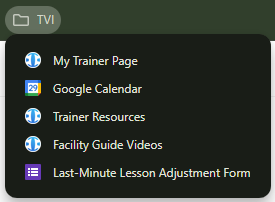
Links to Bookmark
Trainer Page - tviillinois.com/firstname-lastname
(or look in our Staff Directory)
Trainer Resources (this page) - tviillinois.com/trainer-resources
Facility Guides - tviillinois.com/facilityguides
Less Than 48-Hours Lesson Adjustment Form - https://forms.gle/hFaDmrHbqcMnq69w6
Sports Engine Browser TVI IL Login Page: https://gomotionapp.com/tvi-il
Other Questions
-
Our most important policies are outlined in this document. Please give it a read and reach out if you have any questions.
-
Here is the video you watched when you were first hired. Rewatch it if you need a refresher!
-
If you would like to increase your trainer rate, please contact TVI Illinois Hub leader Carli Weiler at carli.weiler@thevolleyballinstitute.com. For all other hubs, please contact your Hub Leader.
-
Fill out our Trainer Bio Form and let the Scheduling team know! We will update your trainer page accordingly.
-
Please do not wear club apparel. We have a club neutrality policy here at TVI.
-
If you do not have the link anymore, you can find the videos linked below:
1. How to format a training session
2. Why we do what we do at TVI
3. Club Neutrality
4. Radar Gun -
If you'd like to update your headshot, you can now do so in seconds using our new TVI Headshot Generator at headshot.thevolleyballinstitute.com
Simply submit a photo of yourself and choose your favorite of three AI-generated variants. Generated headshots use your original photo's eyes, nose, and mouth to preserve your identity.
Jason will be notified of your new headshot and will update it on the website by the end of his next work day. If you run into any issues using the tool, please reach out to Tony Thomason at tony.thomason@thevolleyballinstitute.com